Due to RAM, SSD, GPU Shortage, Physical Stock can vary with stock listed on website

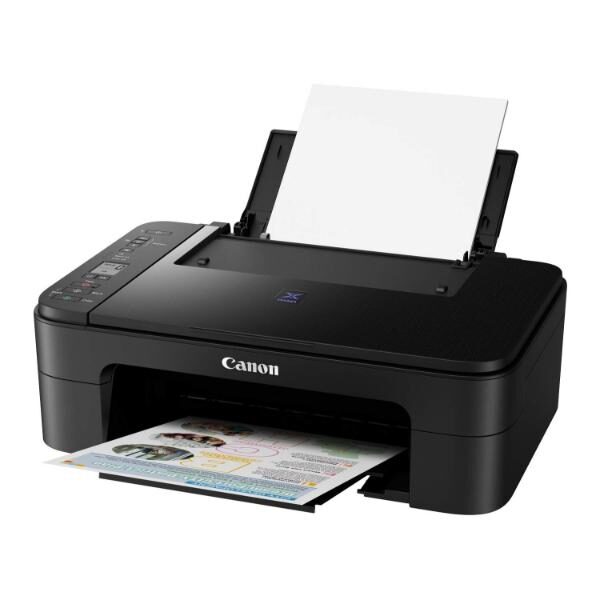
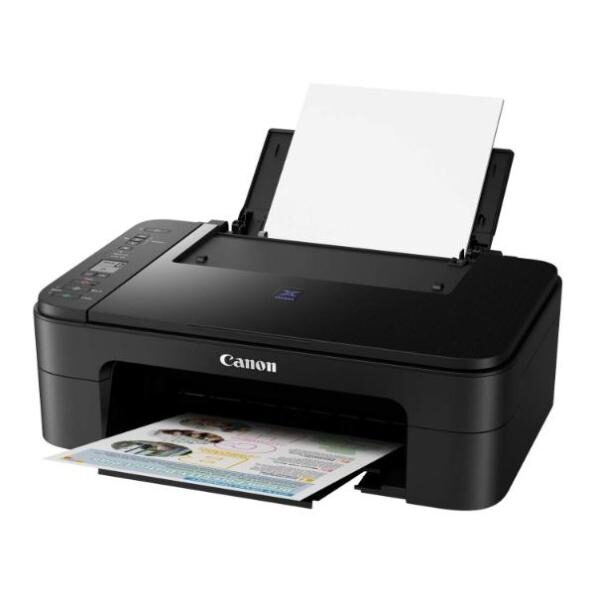
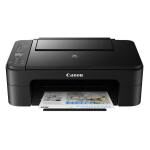
Canon PIXMA E3370 All-in-One Wireless Ink Efficient Color Printer (Black)

Original price was: ₹9,889.00.Current price is: ₹6,048.90.

(Save 3,840.10)
Out of stock
SKU: PIXMA-3370
Brand:

Description

Canon PIXMA E3370 All-in-One Wireless Ink Efficient Color Printer (Black)

PIXMA E3370

Compact Wireless All-In-One with LCD for Low-Cost Printing

This Ink Efficient printer is designed to give you an affordable wireless printing experience at low running cost of 400 pages.

Available in Black

  • Print, Scan, Copy
  • ISO standard print speed (A4): 7.7 images per minute (black) / 4.4 images per minute (colour)
  • Hi-speed USB 2.0, Wireless, Wireless Pictbridge, Mopria, AirPrint, Direct Wireless
  • Recommended print volume: 50 – 200 pages

Features

Low Cost Cartridges

Affordable ink cartridges for high quality printing.

3.81cm Segment LCD with Icon Display

Set copy size and number of copies easily. Intuitive icons on LCD display show printer and wireless connection status.

Mobile and Cloud Printing

Canon Print Inkjet/SELPHY and Easy-Photo Print Editor apps enable easy, fuss-free wireless printing from smartphones, mobile tablets and laptops.

Auto Power ON/OFF

Auto Power ON detects a print command and will automatically switches the printer on and automatically switches off after a specific timing.


Disclaimers
  • You need to install ink tanks or ink cartridges of all colours whether you perform black and white printing or colour printing. If anyone of the ink tanks or ink cartridges is not installed, an error occurs and you cannot perform printing.
  • Depending on the paper or the print settings, colour ink may be consumed even when you print a document in black or perform printing in black and white. When any one of the colours of ink has run out, you need to replace the ink tank or ink cartridge.
  • When you use the Canon printer for the first time after you install the bundled ink tanks, the printer consumes a small amount of ink in the amount to enable printing by filling the nozzles of the Print Head with ink. For this reason, the number of sheets that can be printed with the first ink tanks is fewer than the succeeding ink tanks.
  • The printing costs described in the brochures or websites are based on the consumption data from not the first ink tank / ink cartridge but the succeeding ink tank / ink cartridge.
  • To keep printer’s performance, Canon printer performs cleaning automatically according to its condition. When the printer performs cleaning, a small amount of ink is consumed. In this case, all colours of ink may be consumed.
    [Cleaning function]
    The cleaning function helps the printer to suck air bubbles or ink itself from the nozzle and thus prevents print quality degradation or nozzle clogging.
  • The repairing parts for printers will be available five years after production is discontinued. Depending on your model, we may ask you to replace it with a new one, or one with almost the same performance as a maintenance service. In this case, it may be that you cannot use supplies or accessories for your model or the compatible OS will be changed.
  • The warranty term for details, contact a Canon-authorized sales representative in the country or region you live in.
  • To obtain good printing quality, use up ink within six months after opening.
  • Regarding a solution to a problem caused by using non-genuine ink cartridges (including ones supplemented with non-genuine ink by making a hole in the cartridge or so), a fee will be charged even within the warranty term. Keep this in your mind when you use non-genuine ink.
  • If you use non-genuine ink cartridges (including ones supplemented with non-genuine ink by making a hole in the cartridge or so), they may have a negative effect on the performance of the printer or the printing quality may be reduced. In addition, though it is a rare case and does not present a safety hazard, it is reported that a print head will become heated or smoke will be emitted from it due to an ingredient not contained in genuine Canon ink. (Note that this does not apply to all non-genuine ink.)
  • The following functions are available only on printers that use genuine Canon ink for all colours and support these functions. For supported functions, see the product specifications section for each model.
  • Printing CREATIVE PARK PREMIUM content via My Image Garden, Easy-PhotoPrint+, or PIXMA Cloud Link
  • Using the following applications via PIXMA Cloud Link
    – Scan to E-mail
    – Attach to Webmail
    – Scan to Office document
    – Scan and Remote Print
    – Saving scanned images to Dropbox, Google Drive, OneDrive, Evernote, OneNote
  • A printer with a fax function stores the following fax data in printer’s memory:
    – Faxes not printed out due to conditions such as ink running out.
    – Faxes in the send queue.
  • If you disconnect the power cord, the date and time settings are reset and faxes stored in the printer’s memory will be deleted. Before you disconnect the power cord, confirm that faxes you need to keep have already been printed or sent.
  • Depending on your terminal, such as a computer or a smartphone, or the operating system of your terminal, such as your computer or smartphone, the information or the message related to the estimated remaining capacity of the maintenance cartridge usage displayed on the screen of your terminal may be different from the information or message displayed on the operation panel of the printer. Also, the message for the estimated remaining capacity of the maintenance cartridge usage may be displayed at a different point in time. Canon recommends that you use the information and massage displayed on the operation panel of the printer as your reference.

Additional information

Weight 8 kg
Dimensions 45 × 40 × 25 cm
Weight

3 kg

Brands

Canon

Product Type

Normal

Warranty

1 Year

Reviews

There are no reviews yet.

Be the first to review “Canon PIXMA E3370 All-in-One Wireless Ink Efficient Color Printer (Black)”

Your email address will not be published. Required fields are marked *

Back to Top
Product has been added to your cart
Compare (0)